
Next.js Sanity starter with an agent layer
Chris Lojniewski · 9 min read
Nexity Base is an open source Next.js 16 and Sanity Studio 6 starter with an agent layer for Claude Code, Codex, and Cursor. Its create-section skill builds sections from project instructions, design rules, and brand files, then calls read-only reviewers to check the work.
This guide is for developers and engineering managers selecting a marketing website starter. Product facts describe the Nexity repository at commit 84d9f58; the comparison uses the official Sanity template at commit 505b13a. All sources were read on November 22, 2026.
What is in Nexity Base
Nexity Base combines a Next.js application, Sanity Studio, a page builder, and project files for coding agents. Nexity is an open source system for starting and growing AI-native websites on Next.js + Sanity. An AI-native website is one that people and AI agents run from one repository and one CMS.
Pagepro makes Nexity and publishes it under the MIT license. Nexity Base is the unbranded starter in the repository’s base/ folder.
The starter is a pnpm workspace with 2 packages:
web/contains the Next.js application, using the App Router, Tailwind CSS 4, and TypeScript.studio/contains the standalone Sanity Studio and the schemas thatweb/imports.
Production serves only the embedded Studio at /admin, so editors use one domain and one sign-in. The standalone Studio runs on port 3333 during local work.
next-sanity is the official Sanity toolkit for Next.js. Nexity Base uses it for the embedded Studio, visual editing, draft mode, live content, and the webhook that refreshes pages after publication.
The feature overview describes the editing and publication features:
- Visual editing with click-to-edit and a preview of unpublished changes.
- Publication without a rebuild: a webhook refreshes only affected pages.
- Redirects and rewrites managed in the Studio, taking effect about two minutes after publication.
- Cookie consent, Google Tag Manager, and a contact form that sends email through Resend.
The Sections Gallery shows each section type with sample content. The Meridian theme is the demo site in the repository: Nexity Base with the design and content of a fictional company, and the same Studio tools.
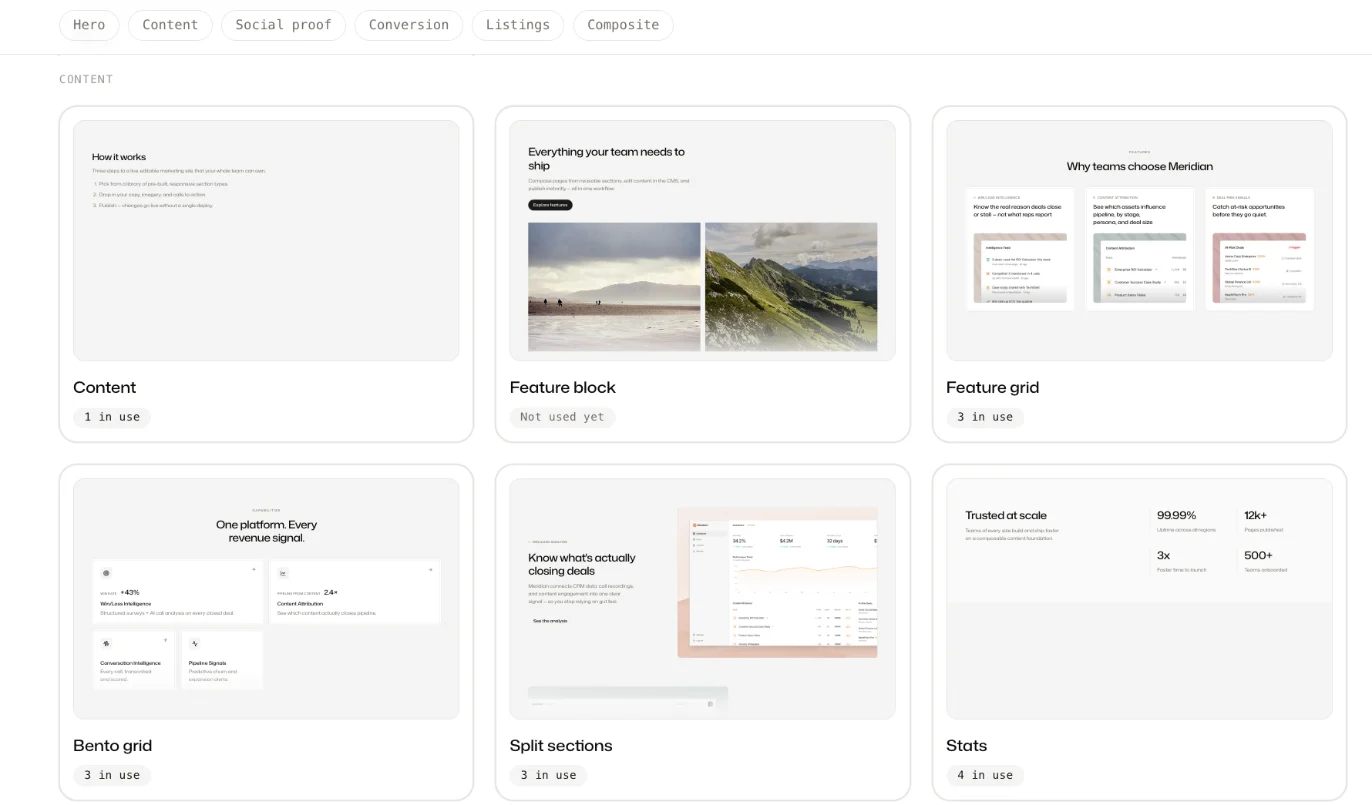
Nexity Base also serves llms.txt, an index for AI agents, and a Markdown twin of each page at the same URL with .md. The Meridian demo publishes its index at https://meridian.nexity.build/llms.txt.
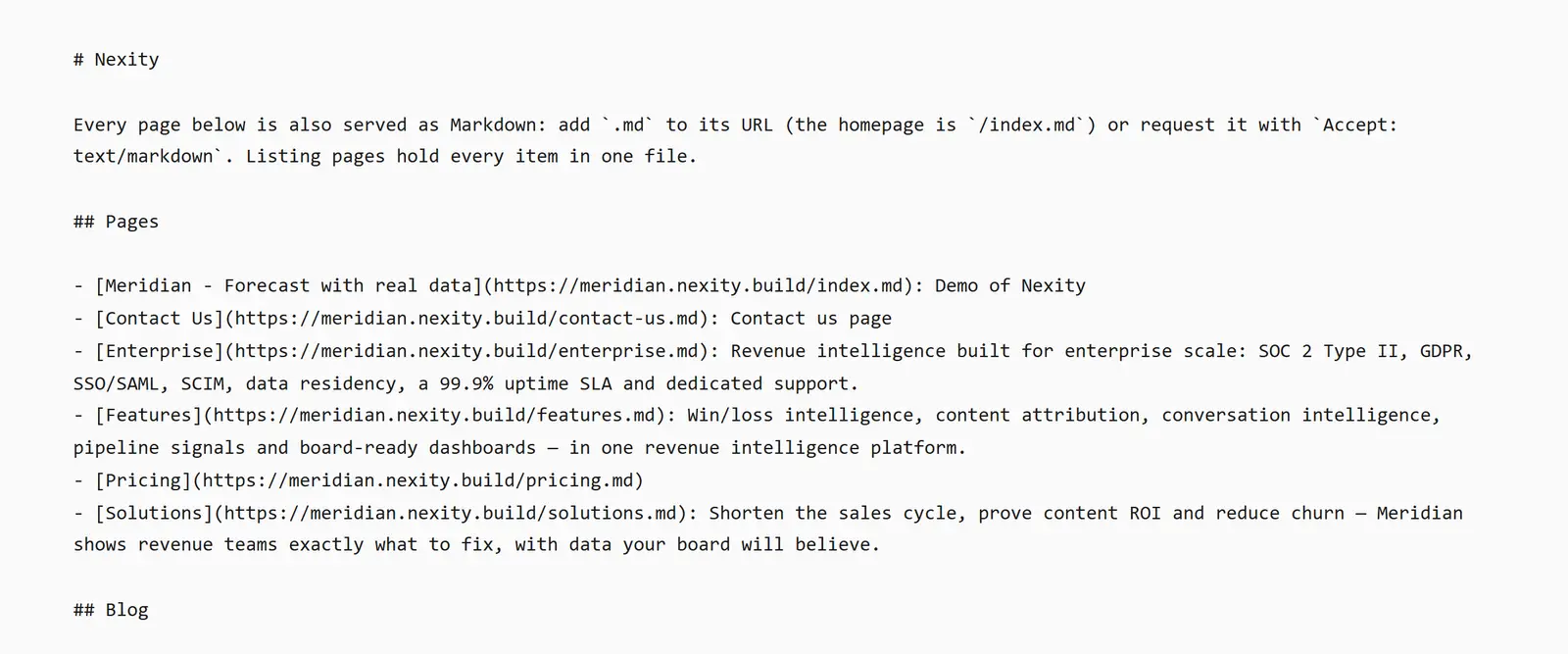
llms.txt file of the Meridian demo on November 22, 2026. Each entry links to the Markdown twin of a page.For the marketer’s view, read Sanity website builder: build pages from sections.
What the agent layer gives a coding agent
The agent layer in Nexity Base is the repository file set that tells a coding agent how to build in the project and checks its work. Instructions, design rules, and brand rules guide changes; skills run repeatable workflows; read-only agents review, audit, or propose alt text.
The Nexity README describes these files:
| File | Purpose |
|---|---|
AGENTS.md | Architecture, commands, conventions, and checklists |
DESIGN.md | Design tokens, section anatomy, and visual rules |
BRAND.md | Audience, voice, messages, and approved names and numbers |
.agents/skills/<name>/SKILL.md | A repeatable workflow in the open Agent Skills format |
.agents/agents/<name>.md | A read-only agent with a fixed checklist and output format |
Codex and Cursor read AGENTS.md directly. Claude Code reads it through CLAUDE.md, which imports it. Skills live in .agents/skills/; Claude Code uses the symbolic link .claude/skills/. In Claude Code, invoke a skill as /create-section; in Codex, use $create-section.
| Skill | Task |
|---|---|
project-setup | Guides setup from the start command to the live site |
create-section | Adds or extends a section type |
sanity-module-catalog | Captures section screenshots for the Studio insert menu |
link-fix | Finds and fixes dataset links after a dry run |
generate-alts | Proposes alt text and writes approved text to drafts |
sanity-optimizations | Audits queries, images, and caching; estimates Sanity and Vercel usage |
pr-writeup | Writes pull request descriptions with screenshots and a test plan |
work-humanizer | Edits text; third-party work under an MIT license |
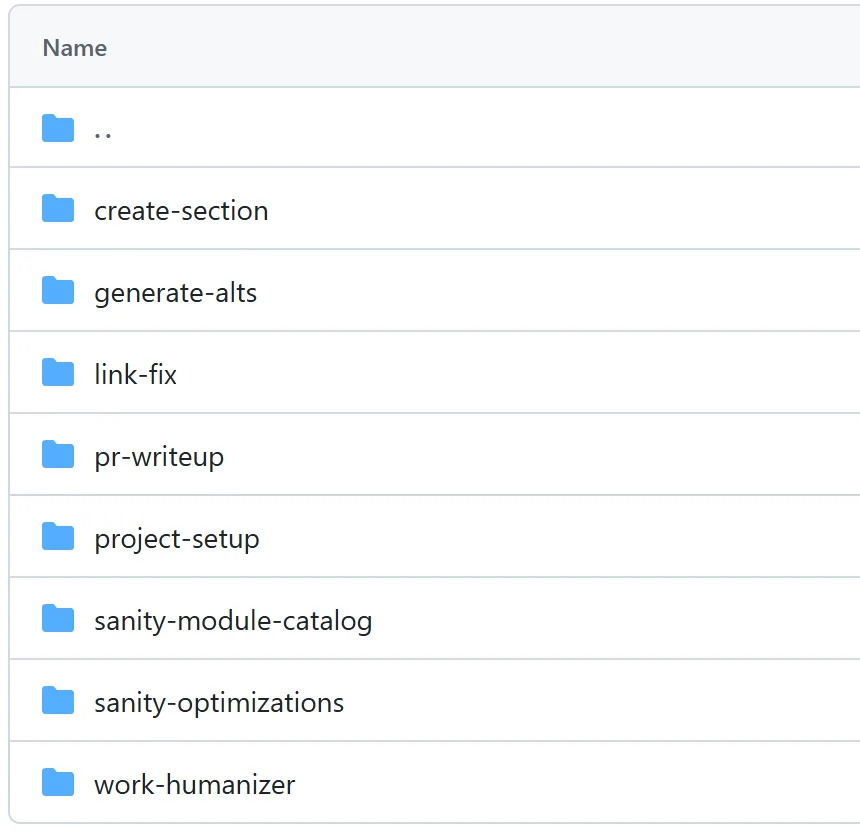
base/.agents/skills of the Nexity repository on November 22, 2026: one folder for each of the 8 skills.Marketing skills such as brand-kit and internal-links install as a separate plugin and are not included in Nexity Base.
Claude Code runs the read-only agents as subagents with their own context. Other coding agents read the files and follow their checklists. Each agent header allows Read, Grep, Glob, Bash, with no Edit or Write tool. The available Bash tool makes “read-only” a behavioral rule rather than a technical lock.
web/AGENTS.md also contains Next.js managed instructions pointing to framework documentation in node_modules/next/dist/docs/. The optional Sanity Agent Toolkit supplies Sanity skills and MCP configuration; the Nexity agent installer does not install it.
Nexity Base compared with the official Sanity template
Nexity Base and the official Clean Next.js + Sanity app both ship project instructions for coding agents. The differences include the page builder, Studio deployment, content types, and the workflows and reviewers available to an agent. The table compares the repository versions recorded at the start of this guide.
| Property | Official Sanity template | Nexity Base |
|---|---|---|
Next.js in package.json | ^16.2.7 | ^16.4.6 |
| Sanity Studio in the Studio package | ^5.31.1 | ^6.22.0 |
| Studio deployment | Separate application, deployed by your team | Embedded at /admin |
| Page builder | 2 section types: call to action and info section | 23 section types |
| Content types | 4 document types: Page, Post, Person, Settings | 15 editor-managed types, including pages, blog, case studies, podcast, redirects, and shared sections |
| Project instructions | Root AGENTS.md | AGENTS.md in the root, web/, and studio/ |
| Design and brand files | None | DESIGN.md and BRAND.md |
| Skills | 1: sanity-live-cache-components | 8 |
| Read-only agents | None | 9: 5 reviewers, 3 auditors, and 1 agent that proposes alt text |
| Search output | XML sitemap; no robots.txt route, JSON-LD, or llms.txt | XML sitemap, robots.txt, JSON-LD, llms.txt, and Markdown twins |
The official template’s AGENTS.md includes Next.js managed instructions, the project layout, commands, links to Sanity documentation and MCP setup, and an instruction to ask before deployment. Its skills-lock.json records the source and hash of its skill.
The official template is the smaller base. Nexity Base gives a new developer more to learn, including its section types and 9 documents in docs/agents/. Compare the contents of the agent files when selecting a starter; an AGENTS.md filename alone does not describe what it provides.
Start a project from Nexity Base
A Nexity Base project needs Node.js 22.12 or newer, pnpm 12.15, and a Sanity account. The start command includes the agent layer. Nexity Base ships no sample content, so the website initially shows a Next steps screen until you publish the required documents.
npm create sanity@latest -- --template Pagepro/nexity/base- Run the start command.
- Go to the new project folder and run
pnpm dev. It starts the website and the standalone Studio. - Open
http://localhost:3000. - Open
http://localhost:3000/admin. Publish 4 documents: Site settings, Header, Footer, and a page with the slug/. - Reload the site. The Next steps screen disappears when the 4 documents are published.
- Run
pnpm agent:doctorto check the agent layer.
For a full design and sample content, start from the Meridian theme and select a new dataset:
npm create sanity@latest -- --template Pagepro/nexity/theme-meridianThen run the seed command in the new project folder; it imports Meridian content and replaces documents with the same IDs:
pnpm seedFollow the starter README for launch tasks: the revalidation secret, deployment, the Sanity blueprint, and applying your brand. The project-setup skill guides setup and stops for confirmation after each step.
Replace the neutral defaults in DESIGN.md with your design system and fill in BRAND.md before launch. The setup skill can fill in the brand file with you through a short interview.
How a coding agent adds a section in Nexity Base
A new section type in Nexity Base touches the schema, query, component, and several registries. The create-section skill follows the new section checklist, which has 13 steps after checking for an existing section. The workflow includes model decisions, implementation, registration, and review.
For example, request: “Add a section with a row of customer logos and one quote under them.” This guide groups the work into 5 steps:
- The skill compares the request with existing sections and asks you to choose whether to reuse a section, extend one, or build a new type.
- It reads
DESIGN.mdfor appearance andBRAND.mdfor copy. WhileBRAND.mdis the empty template, it writes placeholder copy. - It builds the component, schema, and query from the 2 or 3 closest sections in the code.
- It registers the section, adds it to the Sections Gallery, and writes its JSON-LD entry and Markdown version.
- It asks you to restart the Studio and development server, checks one instance in the Studio, and reports.
During steps 1 to 4, the skill calls up to 5 read-only reviewers: those below, plus link-reviewer when the section has links or buttons.
| Reviewer | When it runs | What it checks |
|---|---|---|
content-model-architect | Before the schema, when 2 types fit or the content model is unclear | Reuse, extend, or new type; content model shape |
styling-fidelity-reviewer | After the component | Tailwind and token rules; agreement with DESIGN.md |
sanity-schema-reviewer | After the schema | Conventions in studio/AGENTS.md |
groq-parity-reviewer | After the query | Agreement between the schema, GROQ query, and component props |
Four of the 5 reviewers return a verdict and findings with severity, file and line, rule, and fix. The content-model-architect returns a content model recommendation.
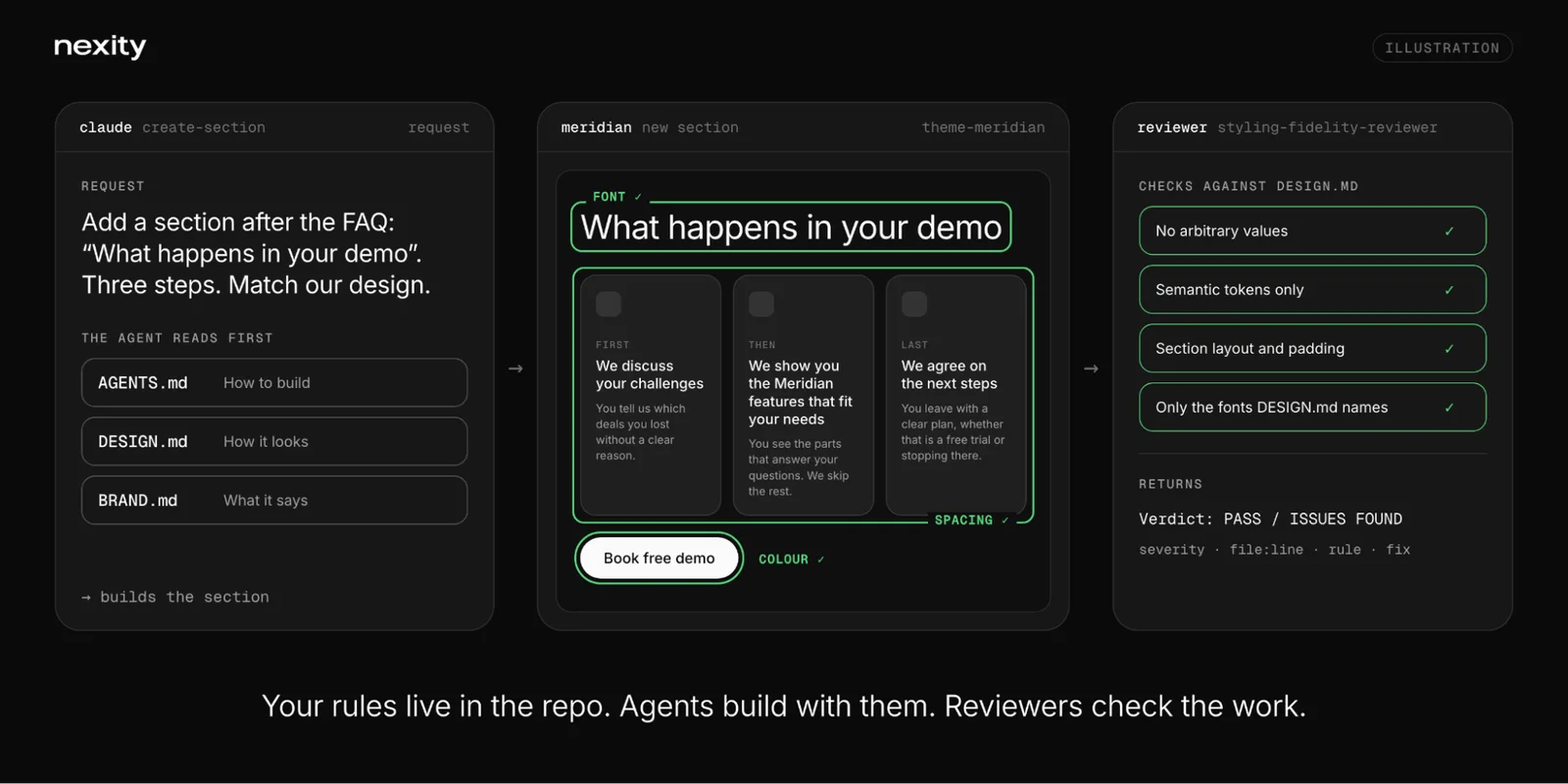
create-section skill, which reads the 3 files and builds the section. Then styling-fidelity-reviewer checks the section against DESIGN.md.A section registered in schemaTypes/index.ts but missing from fragments/sections.ts compiles and passes type checking, yet never appears in the Studio insert menu. The groq-parity-reviewer looks for this silent failure.
Nexity Base catches 3 other gaps through type errors. The following check fails until the section is registered in the Sections Gallery and has both a JSON-LD entry and a Markdown version:
pnpm typecheck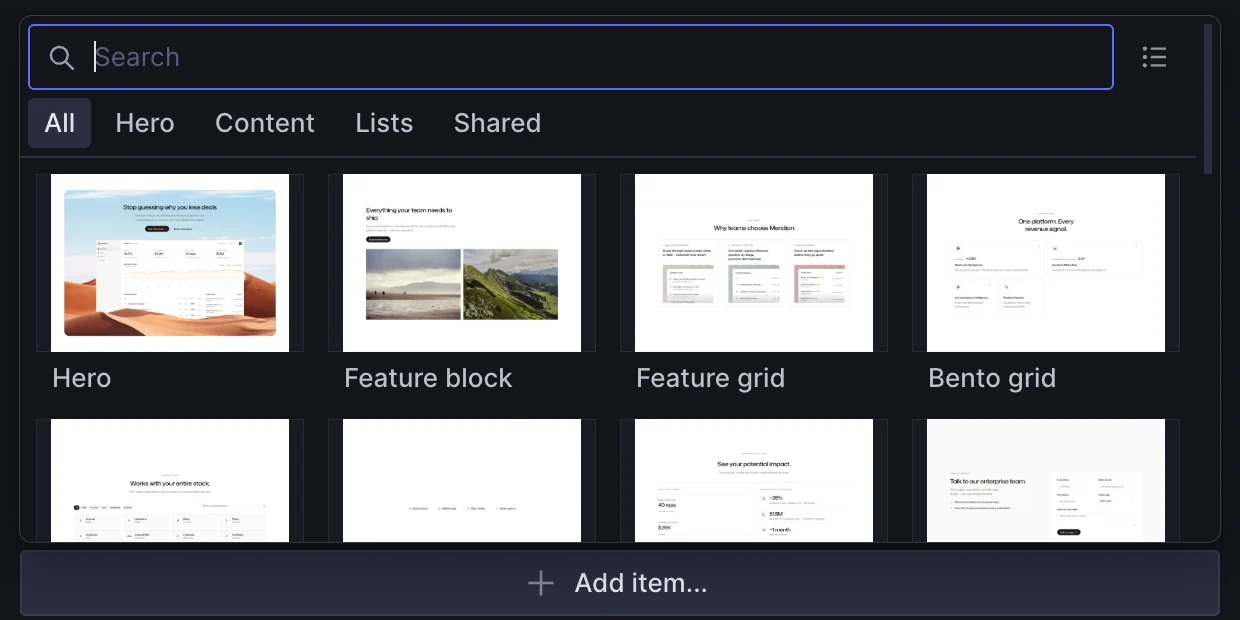
schemaTypes/index.ts and not in fragments/sections.ts is missing from this grid.A developer reviews the result before it goes live. The agent layer does not replace code review.
Limits of Nexity Base and when it fits
Nexity Base projects do not update themselves, and some features need additional configuration or tools. Before selecting the starter, account for maintenance, language requirements, and the dependencies of the skills you plan to use. The known limitations describe these constraints.
- Your project is your own copy and does not update itself. Merging upstream would conflict with your changes. The README recommends giving your coding agent the commits since project creation and applying the ones you want.
- Skills and read-only agents update separately from a local Nexity clone with
pnpm agent:update --source <checkout>. The update stops if you have edited a managed file and has no overwrite option. - The starter has no multi-language support.
- The newsletter form is interface only. It stores and sends nothing until you connect an email provider.
- Some skills need additional tools.
sanity-module-catalogneeds a browser the agent can control.pr-writeupneeds that browser and Python with Pillow, or ImageMagick.link-fixandgenerate-altsneed a Sanity token with write access. The agent installer does not install these tools. - The repository documents deployment to Vercel only.
| Your project | Fit |
|---|---|
| Marketing website with many page layouts, built with coding agents | Nexity Base |
| Site with a content model and sections designed by your team | Official Sanity template |
| Site in several languages | Nexity Base needs your own multi-language work |
| Existing Next.js and Sanity project | Copy individual skills and read-only agents using the README’s manual setup |
| Team without coding agents | Nexity Base still works; developers can follow the Markdown checklists in docs/agents/ |
Next steps with Nexity Base
- Read the skills and agents reference, including the separate marketing skills.
- Report bugs or ask questions in the Nexity issue tracker.
- See the Meridian demo, a complete site built on Nexity Base.